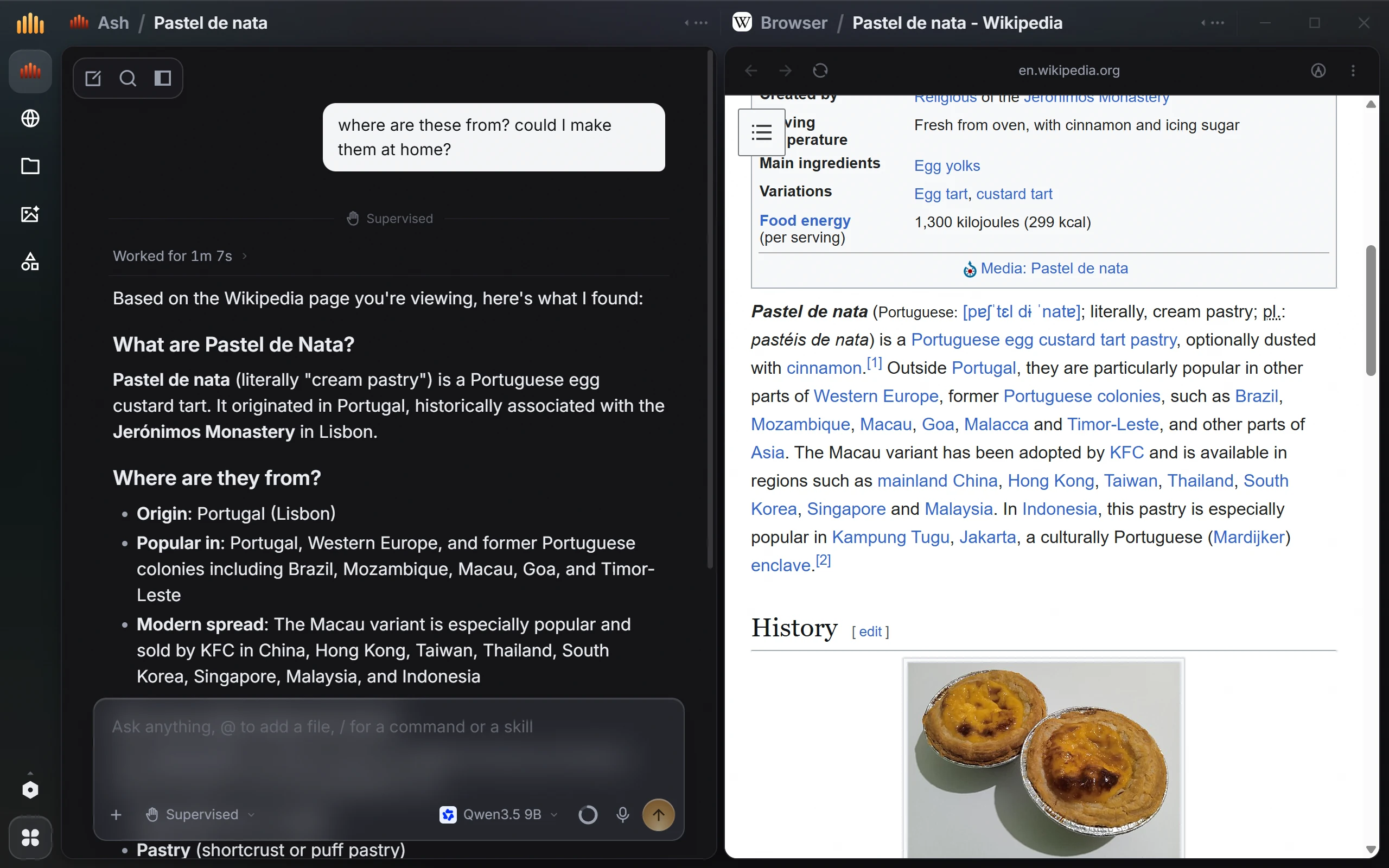
Chat, plan and get work done on your files with Ash. It works with any chat model you choose: Qwen3.8 27B and Gemma 4 on a device with a graphics card, or DeepSeek V4 Flash on an RTX Spark.
Research the web, with sources.
With the Browser app, which installs with Ash, a question becomes two to five smaller ones, and Ash reads web pages for each. A finding stays in the report only when the quote behind it is on a page Ash read, and each finding links to the page. Try “Research how well heat pumps work in old houses with radiators.”
A sandbox, and permission levels you choose.
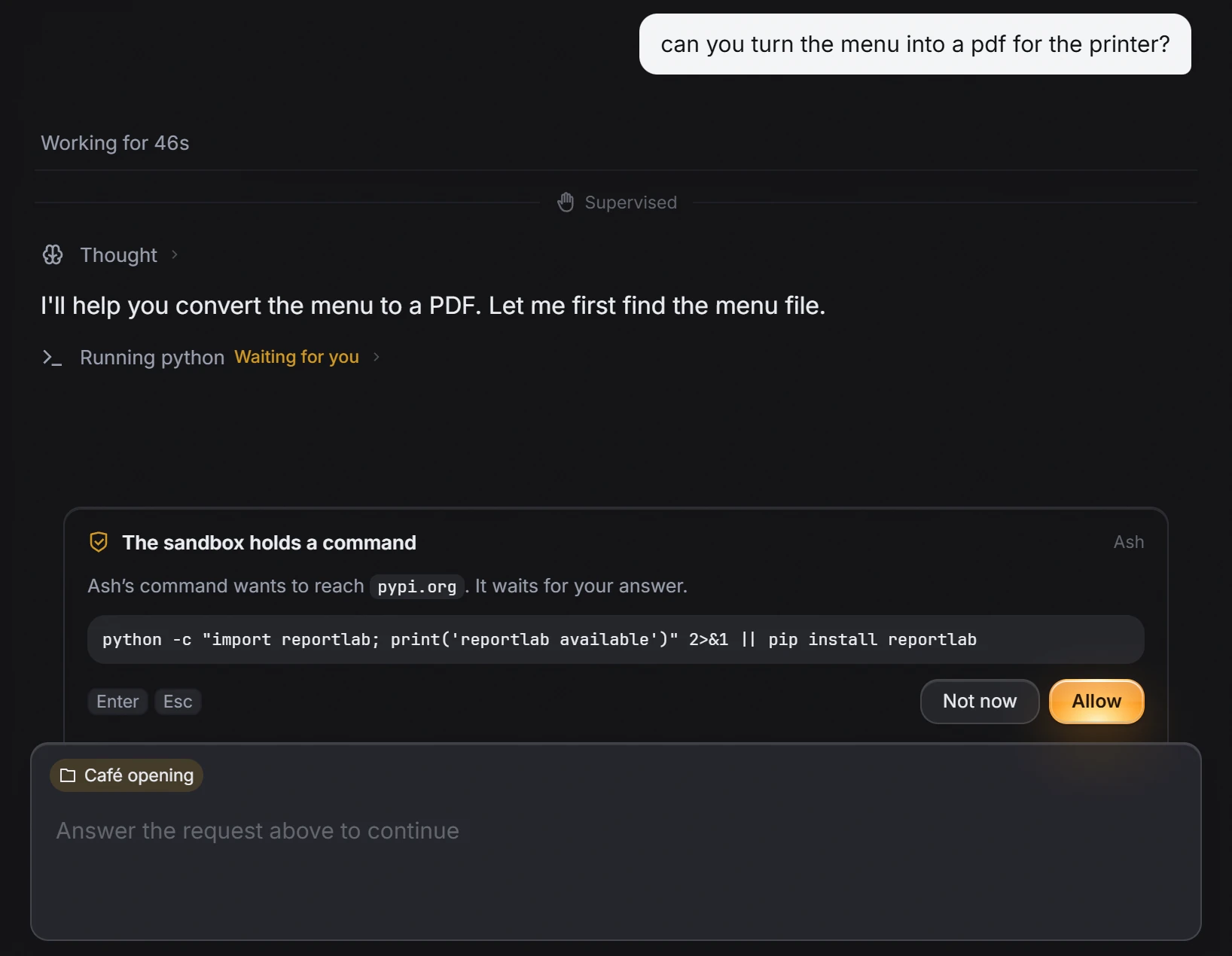
Commands run in a sandbox that keeps them to the folders Ash works in. On Supervised, where a new install starts, Ash asks before each step outside the access you gave. On Auto, a review checks that step and refuses what fails it; on Full access, the step runs.
From install to a first task.
1
Install Hearthscale.
Download Hearthscale for Windows or Linux and follow the first steps. Download a recommended model when setup offers one, or later from the model picker.
2
Install Ash.
Choose Marketplace on the rail, open Ash and choose Install. The Browser comes with Ash for web research; switch it off on the install card if you don’t want it.
3
Give Ash a task.
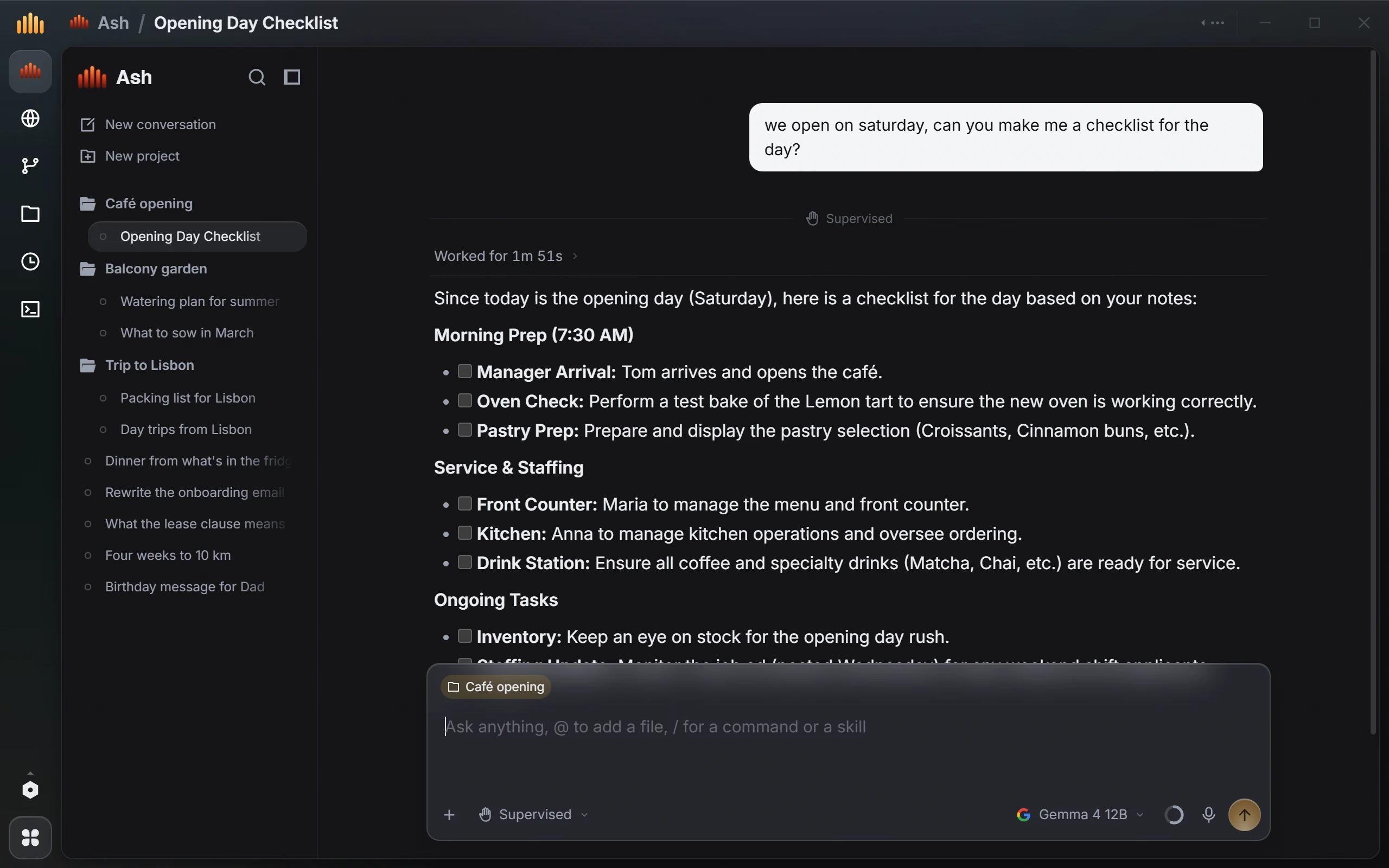
Choose a model at the bottom right of the composer, type a request and press Enter. Start with a task whose result is easy to check, such as “Help me plan three dinners using rice, spinach, lemons and chickpeas.”
Ash uses a chat model that can use tools, such as reading a file or running a command, on this device or on another device with Hearthscale Server. With a local model, your prompts and files stay on your devices, and you can work with no internet connection. Only web research and connectors to online services need one.
Ask about your files and your figures.
Ash reads the files in your home folder and in the folders you attach to a conversation. For a total, an average or a chart, Ash writes a short Python program that reads the CSV file or spreadsheet, then gives the figure with the period and the number of rows behind it. Try “How much did I spend on groceries last month? The export is in Downloads.”
Make documents and tidy folders.
Ask for a Word, Excel or PowerPoint file, and Ash makes it, then reads the saved file again to check it against your request. To tidy a folder, Ash sorts the files by kind, finds duplicates by their content and counts the files at the end, so none is lost. Ash deletes a duplicate only when you ask. Try “Sort the invoices in my Downloads folder into a folder called Invoices.”
A local coding agent.
Give Ash a repository folder with read and write access, then describe the change and how to check it. Review the changes in Diff, comment on lines for your next message, and run your own commands in Terminal beside the conversation. Try “Find where request timeouts are configured, improve the error message and show the changed files.”
Which open-weight model to run Claude Code, Codex or OpenCode on: independent benchmark scores, the memory of each file and its context, the wait for a long prompt, and the setup.
FAQ
Frequently asked questions about Ash and local AI agents.
Is there a free AI agent for Windows?
Yes. Ash is free, like Hearthscale and the other apps made by Hearthscale, and runs on Windows 10 and 11 and on Linux. You need no account, and early access is free for everyone, at work too.
Which models can Ash use?
Any chat model that can use tools: on this device, on another device with Hearthscale Server, in Ollama or LM Studio, or at a cloud service you add. In Explore, in the Server window, an icon on each model shows whether it can use tools. With a cloud service, what you send goes to that service.
What do I need to run a local AI agent?
Windows 10 or 11, or Linux, on a 64-bit device. A graphics card is optional; with one, replies come faster. On Windows, the command sandbox needs Windows 11 24H2 with the August 2026 update or later. On an older version, Settings → Permissions shows Not enforced, and commands run with your own access.
Does Ash work offline?
Yes, with a local model. Questions about your files, figures, documents and code work with no internet connection. Web research needs one, and so do connectors to online services and cloud models.
Can Ash control my mouse or other programs?
No. Ash does not move the mouse or use the windows of other programs. Ash works through files, commands in the sandbox and the Browser app, where Ash can click and type in web pages, in a tab you can open beside the conversation.
Does Ash run on a Mac?
Not yet. Hearthscale and Ash run on Windows 10 and 11 and on Linux, 64-bit.
Can Ash run tasks on a schedule?
Yes, with the free Schedules app. Ask in a conversation, such as “Every Friday at 17:00, list unfinished tasks from my Documents notes”, or create the task in Schedules. Tasks run while Hearthscale is running, even with the window closed.
Does Ash remember things between conversations?
Yes, in a project. Ash keeps notes about your work there and reads them at the start of each conversation in that project. Read, edit or switch off the notes in Settings → Memory.